Where a home office budget earns its keep
Most of the comfort in a home office comes from three purchases, and none of them is the desk. Here is how to spend in order, what can stay cheap, and how a booking business run from a spare room fits the same plan.
This is for anyone fitting a working room into a flat or a villa in the UAE on a limited budget: the freelancer, the household sharing one spare room, the person running a small booking or travel business from the second bedroom. It sorts the spending into what changes your working day and what only changes the look of the room, then puts the purchases in an order you can afford. If you came here looking for the cost of building a travel portal, the last section answers that honestly from the side this journal covers: the room, the storage and the upkeep.
The three places where money does real work
A home office has three failure points. Your back gives out, your eyes tire, or the connection drops while a client waits. Everything else is convenience or appearance. So the budget goes first to seating, then to light, then to the line that carries your work.
That order surprises people who have already priced a desk. A desk is a flat surface at the right height with nothing wobbling underneath it. Once you have that, further money buys timber, drawers and a nicer edge, none of which reaches your spine. A chair is different: it holds you for most of the day, and the difference between a good one and a bad one arrives quietly, over months.
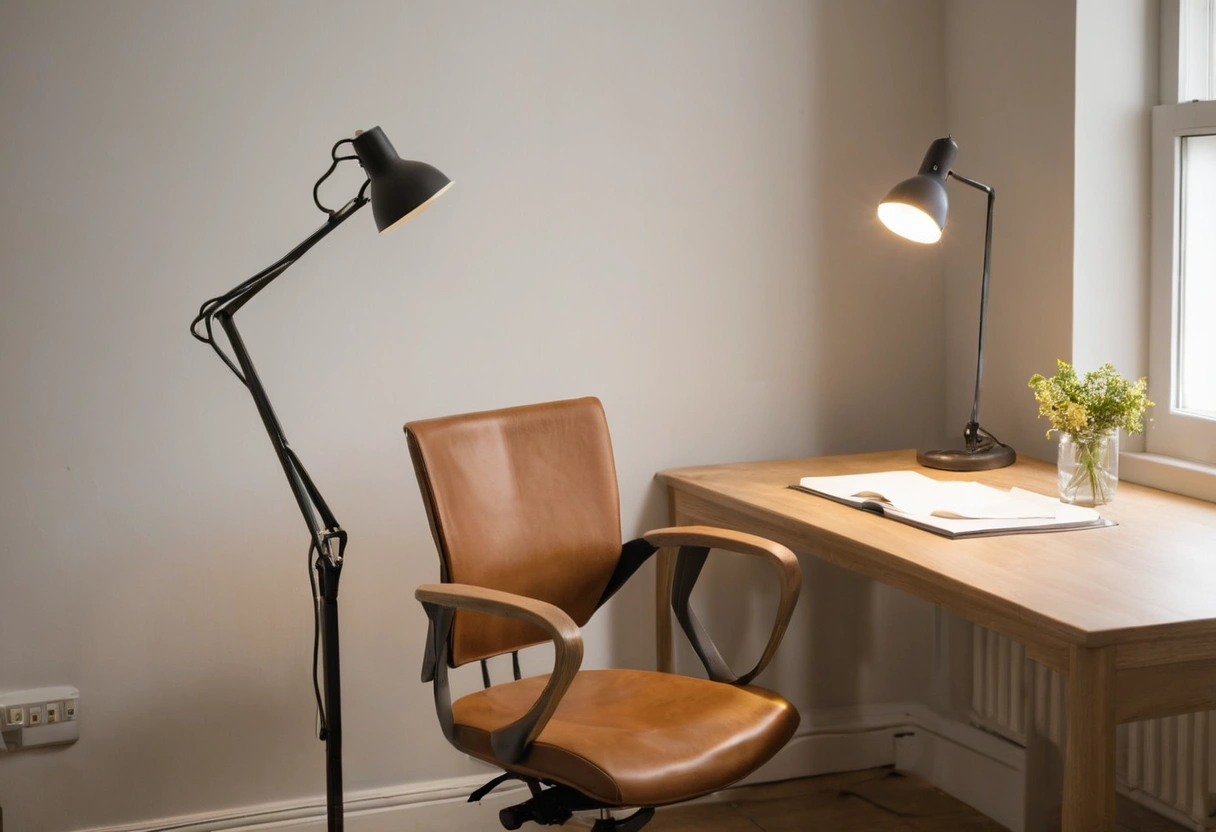
Light behaves the same way. A room lit only by a ceiling fitting leaves your face in shadow and your screen fighting reflections. One well-placed task lamp fixes both for very little. Our guide to daylight, glare and task lamps covers placement in detail, including where the lamp should sit relative to your writing hand and your camera.
Buying the chair without guessing
Sit in it for a proper stretch before you pay, not a quick perch in a showroom aisle. Ten minutes tells you nothing about hour six. Look for a seat pan that slides so the back of your knees stays clear of the front edge, lumbar support that moves up and down rather than sitting fixed, armrests that drop low enough to let you get close to the desk, and a recline you can lock upright as well as lean into.
Mesh backs suit a warm room. Foam seats need enough density that you do not feel the frame beneath you after a few weeks. Castors should match your floor: hard floors and tiles want the softer wheels, or a mat, or both.
Before handing over money, check:
- Whether the chair can be returned after a few days of actual use, and who pays for collection.
- Whether the gas lift, mechanism and castors are covered locally, and for how long.
- Whether replacement parts can be ordered separately later.
- Whether the arms fold or drop enough for the chair to slide fully under your desk.
Second-hand is sensible here if you buy carefully. Well-made task chairs outlast their first owner, and a tired one can often be revived with new castors and a fresh gas lift. Sit in it, work the levers, listen for grinding, smell the foam. Damp and old smoke do not come out.
Light and connection, in that order
Move the desk before you buy anything. Put it so daylight comes from the side rather than behind you or straight into your eyes, and so the window is not reflected in the screen. That costs nothing and solves more than most purchases. Then add one adjustable task lamp with a warm, dimmable output and an arm you can swing out of the way. A second small light aimed at the wall behind the screen softens the contrast in the evening, when most eye strain shows up.
Connection is the third pillar, and it is unglamorous. A wired link from the router to the desk removes a whole category of dropped calls. If the router cannot reach the room, a mesh set or a powerline pair usually costs less than the working hours lost to a stuttering video call. Ask your provider about the upload side of the service, not only the download, because that carries your voice and your camera. Keep a phone hotspot ready as a fallback and test it once, on a normal afternoon, so you know what it actually does.
If your work is bookings all day, the screen matters as much as the line. Height, distance and tilt are covered in our piece on setting up a workstation for running an online booking site.
What can stay cheap
A plain worktop on a solid frame, at roughly elbow height when seated, is the whole requirement. Depth matters more than price: enough room that the screen sits about an arm’s length away and your forearms still rest on the surface. Kitchen worktops, offcuts and simple trestle frames all serve. Spend on stability, not finish.
Other things worth buying at the bottom of the range: monitor risers (a stack of sturdy boxes does the job until you decide otherwise), cable trays, drawer units, desk mats, whiteboards, plant pots, most storage containers. A footrest can be a thick book. Printer stands, monitor arms and document holders sit in the middle: buy the cheap version first, upgrade only the one you keep adjusting.
Avoid paying for features you will not use. Massage functions, memory presets you never recall, built-in wireless charging and matching furniture sets sold as a package all inflate the bill without touching the working day.
Buying in stages
Stage one is the bare minimum that lets you work a full day without damage: a usable chair, a stable surface, a task lamp, a connection you trust. Borrow or use what you already own for the rest. If the choice is between a better chair and a better desk, take the chair every time.
Stage two comes after a few weeks of real use, when you know what actually irritates you. Usually it is screen height, then somewhere to put paper, then the noise the room makes on calls. Buy against those complaints rather than a shopping list written before you started.
Stage three is the finishing layer: acoustic panels or a heavy curtain to calm the echo, a proper filing cabinet, a second screen, a decent camera light. None of it is urgent, and all of it is easier to choose once the room has told you what it needs.
Keep a small reserve for repairs and replacements. Castors, bulbs, cables and adapters fail more often than furniture does, and a budget with no slack turns a small failure into a stopped working day.
If the room runs a booking business
Readers who came here asking about the cost of developing a travel portal are usually weighing two budgets at once: the software and the room. We cannot price platforms, and we would not pretend to. What we can say is that the physical side is the smaller, more predictable half, and the half you control completely. For the order of business decisions, see how to start a tour or travel agency business from home, and for the machine, screens and backup layer, the technology layer of a home office.
From the home, storage and care point of view, three things deserve money that a hobby office does not need. First, uptime: a small uninterruptible power supply for the router and the machine, so a flicker does not end a booking mid-flow. Second, records: a lockable cabinet for passports, contracts and payment paperwork, kept off the floor, plus a backup routine you have actually tested by restoring a file. Third, separation: a distinct working surface and a closed door, so client documents are not living on the dining table.
Care is cheap and mostly habitual. Vacuum the chair mechanism and castors, wipe mesh with a barely damp cloth, keep leather and wood out of direct sun, and ease the air conditioning rather than letting it blast the desk all afternoon. Dust is relentless here, and it kills fans and keyboards faster than anything else. Once a season, check every bolt on the chair and desk, because a wobble you have stopped noticing still costs you attention.
Your next step
Before you buy anything, work one normal day in the room as it stands and write down what hurt, what glared and what dropped. Three lines on a page is enough. Then spend against those three lines in order, starting with the chair, and leave the rest of the list alone until the room complains again.