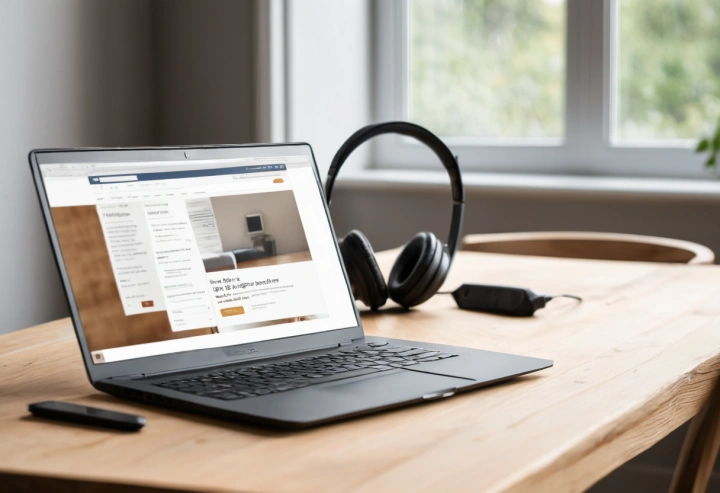
Building a travel agency website from your home office
Setting up a booking website is only half the job. The other half is building a home office that supports it reliably, day after day.

This guide is for anyone in the UAE planning to run an online travel agency from a spare room or a corner of a flat. It covers what to set up before the website goes live: the physical workspace, the booking technology explained plainly, the content you will need to write or gather, and the routines that keep everything running once customers start arriving. If you are still deciding whether this kind of business suits your situation, the order of decisions for starting a travel agency from home is a useful place to begin.
The workspace itself
A travel agency website does not require a large room, but it does require a reliable one. The minimum is a desk where a laptop or desktop computer can sit permanently, a chair you can use for several hours without discomfort, and a door or screen that separates work from the rest of the household during calls. Natural light helps on long days. A window behind the screen causes glare; a window to the side does not.
Power and connectivity are the likeliest interruptions to a working day. A surge-protected extension lead keeps equipment safe. A backup internet connection, even a mobile hotspot kept charged and ready, means a dropped broadband line does not leave a customer mid-booking with no response. If your home suffers frequent power cuts, an uninterruptible power supply for the router and computer buys enough time to save work and notify anyone waiting.
Storage matters more than it sounds. Supplier contracts, invoice copies, customer passport scans and payment records pile up quickly. A lockable drawer or a small filing cabinet keeps physical documents secure and separate from household paperwork. Digital files need the same discipline: a folder structure settled at the start, not improvised after the first busy month.
Booking technology in plain words
An online travel agency website is not just a brochure. Customers expect to search for flights or hotels, see live prices and complete a booking without messaging you first. That capability comes from a booking platform, sometimes called a white-label portal or a travel technology solution.
In simple terms, the platform sits between your website and the systems airlines, hotels and tour operators use to manage their inventory. When a customer searches for a flight, your website sends that request to the platform, which queries the relevant supplier systems and returns results. The customer picks an option, enters their details and pays. The platform confirms the booking with the supplier and sends a confirmation to the customer. You receive a record of the transaction and, depending on your arrangement, a commission or a margin.
You do not build this infrastructure yourself. You subscribe to a provider who maintains it, and your website displays their search and booking interface under your branding. Choosing a ready-made booking platform when you work alone from home involves comparing what each provider includes, what they charge per transaction and how much technical support they offer. Understand the daily reality of running one of these platforms before you commit: what running a ready-made booking website means for a one-person home office covers the practical side honestly.
Some providers also offer access to global distribution systems, the large networks that aggregate airline seat inventory. If your focus is flights rather than packages or hotels, the always-on home office and why booking work connected to airline systems needs reliable infrastructure explains what that means for your setup at home.
Content you need to prepare before launch
A booking platform handles transactions. Everything else on the website is your responsibility, and preparing it takes longer than most people expect.
The pages customers read before trusting you with a payment include: an about page explaining who you are and where you are based, a clear account of how bookings work and what happens after payment, cancellation and refund policies written in plain language, contact details that actually reach you, and terms and conditions that reflect your actual supplier agreements rather than text copied from another site.
Destination content, if you plan to include it, needs to be accurate and current. Visa requirements change. Entry rules change. Writing broadly about a destination is fine; stating specific entry requirements without checking them regularly is a liability. Keep destination pages general unless you have a reliable process for updating them.
Photography and visual identity matter for credibility. Use images you have the right to publish. A consistent colour palette and a readable font do more for trust than an elaborate design. If you are writing all the copy yourself, read it aloud before publishing. Awkward phrasing and unclear policies are the quickest way to lose a cautious customer.
Licensing and registration
Before the website goes live, check with the relevant UAE authority which licensing and registration requirements apply to your activity. Requirements vary by emirate and by the nature of the services you intend to offer. Do not rely on what another home-based business tells you applied to them; confirm directly with the authority responsible for your location and activity type.
Routines that keep it running
Launch is not the end of the setup. It is where maintenance begins.
A short daily check takes less than half an hour: review new bookings for errors or unusual flags, check that the booking platform is responding correctly, scan your inbox for customer queries needing a reply within the day, and confirm that your payment account reflects expected transactions. Do this at the same time each morning until it becomes automatic.
A weekly review covers slightly more ground:
- Reconcile bookings against payments received and commissions due.
- Check that supplier confirmations match what the customer was told.
- Update any destination or policy content that has changed.
- Back up customer records and correspondence to a second location, whether a cloud service or an external drive kept separately.
- Review any customer complaints or near-misses and note what caused them.
Customer communication is where most home-based agencies either build a reputation or lose one. Set a realistic response time and stick to it. If you cannot reply within a few hours, say so on the contact page. An automated acknowledgement that sets expectations beats silence. Keep a simple log of every customer interaction: date, issue, resolution. It protects you if a dispute arises and helps you spot patterns in what goes wrong.
Supplier relationships need occasional attention too. Confirm periodically that your agreements are current, that commission rates have not changed and that the support contact details you hold are still correct. A supplier who changes their support process without telling you can leave a customer stranded at a difficult moment.
Your next step
If the workspace is ready and you have confirmed the licensing position, the next practical move is to shortlist booking platform providers and request a demonstration of each. Ask specifically how they handle failed payments, cancelled bookings and out-of-hours support, because those situations land in your home office at inconvenient times. Write down the answers and compare them side by side before signing anything.